untuk mendapatkan updatean terbaru dari blog kami melalui facebook silahkan like FANS PAGE kami DISINI...!!!

Tampilkan postingan dengan label vHome. Tampilkan semua postingan

7 Des 2011

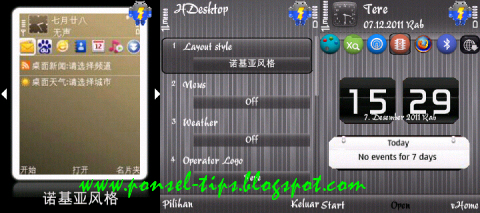
vHome V4.8 S60v3 Fp1-fp2 En By Shankru

Vhome telah mengupdate versi terbarunya yaitu v4.8 en.
Apa saja yang baru dari vhome v4.8 ini?
Fitur baru:
1. perbaikan Bug kegagalan pendaftaran Microblogging
2. ditambahkan skin baru yang indah
3. Perbaikan bug pembaruan cuaca yang tidak normal.

vHome v4.8

vHome v4.8


Untuk lebih jelasnya sikahkan dicoba sendiri

vHome v4.8 s60v3 fp1fp2 En by Shankru
[Download]


Semoga bermanfaat :D

Post By : http://ponsel-tips.blogspot.com

19 Mar 2011

Update Theme/Skin Vhome 240x320 Bagian 2

update skin/theme vhome untuk resolusi 240x320.

update skin vhome

skin vhome Music


update skin vhome

skin vhome Razor-v2-1


update skin vhome

skin vhome Funny-Balls


update skin vhome

skin vhome Facebook


update skin vhome

skin vhome A&B


update skin vhome

skin vhome Tiger


1. Extract semua file skin vhome lalu pindahkan ke drive: C:/System/Apps/HDesktop_0x2001E8B2/theme_pkg dengan menggunakan x-plor

2. Restart vHome

3. Buka vhome kembali dan taraaaa skin vhome sudah terpasang.


Enjoy a new interface :-D :-D

jangan lupa liat yang ini dan yang ini juga


Post by : http://ponsel-tips.blogspot.com/

17 Mar 2011

Update Skin/Theme Vhome (320x240)

sebenarnya postingan ini sudah ingin saya share dari semalam, tapi karena ada masalah dari blogger ahirnya postingan saya tunda, untungnya tadi ada teman (kang elang) yang ngasih tau kalo error pada blogger bisa di atasi dengan menggunakan UCBrowser, dan setelah saya coba ternyata berhasil, saya juga tidak tau kenapa kalo menggunakan Opera Mini Blogger bisa error (selalu reload di knlom judul postingan).

Terimakasih buat kang elang ahirnya saya bisa update lagi, update kali ini adalah skin/theme buat voyager homescreen (vhome) dulu juga saya pernah share Skin vhome tapi untuk resolusi layar 240x320 silahkan liat disini.

yang akan saya share kali ini untuk resolusi layar 320x240 (e63, e71, e75) dan sejenisnya. :-P

Monggo di liat-liat scrinshutnya:

skin vhome

skin vhome Analog-clock


skin vhome


skin vhome Solar


skin vhome


skin vhome HTC


skin vhome

skin vhome Nature


skin vhome

skin vhome A-B-320x240


Buat yang belum tau cara memasangnya silahkan meluncur kemari.

Untuk yang ukuran 240x320 nanti akan di update lagi ditunggu aja ya....

27 Feb 2011

Koleksi Skin/Theme Vhome Dan Cara Memasangnya

Buat yang suka menggunakan Vhome, dibawah ini ada beberapa skin/theme Untuk menambah koleksi skin vhome kamu biar ngga bosen.

Silahkan pilih yang kamu suka (kalo suka semua download aja semuanya) :-D :-D .

Google_phone

skin vhome

download


Alive

skin vhome1

download


Vista_2

skin vhome1


download


hipop dance

skin vhome1


download


Urban PB by S.Inner R (240x320)

skin vhome1


download


V.Opera by Wana7262 (240x320)

skin vhome1


download


Blue Style by KOF (240X320)

skin vhome1


download


Untuk skin yang lain akan di update.

Buat yang belum tau cara memasang skin vhom akan saya jelaskan caranya:


1. Extract semua file skin vhome lalu pindahkan ke drive: C:/System/Apps/HDesktop_0x2001E8B2/theme_pkg dengan menggunakan x-plor

2. Restart vHome

3. Buka vhome kembali dan taraaaa skin vhome sudah terpasang.


Enjoy a new interface :-D :-D


Nb: sebaiknya gunakan vhome versi terbaru yang minim bugs.

16 Feb 2011

Voyager Home Screen (vHome) v2.71 EN S60v5 SymbianOS9.4 Signed

Voyager-Home-Screen-vHome-v2-71-EN-S60v5-S-3-SymbianOS9-4-Signed

Voyager Home Screen (vHome) is a new UI for our Nokia and any other Symbian^3 device. It ’s a mix between HTC Sense and iPhone style UI, but for our Nokia, and totally free.

Voyager-Home-Screen-vHome-v2-71-EN-S60v5-S-3-SymbianOS9-4-Signed


This application includes:
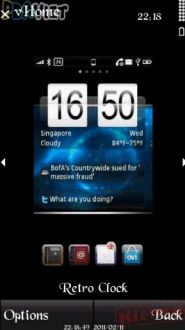
* Beautiful big retro clock or analog clock
* News feeds and weather
* Put all your apps into neat pages to flick through, like iPhone
* one click on/off widgets: bluetooth, silent profile, phone lock.
* send twits from home screen


download

29 Des 2010

Voyager Home Screen (vHome) v4.35 EN by Tuanloc

vhome v4.35

Voyager Home Screen(vHome) is a
FREE ware helps you customize
your S60's home screen with big
clock, start menu, weather, news
ticker,Google,fav contact,smart
dialing ,etc.

Features:
Features like Google, weather,
news , Operator logo, big clock are
pretty straight forward, if you do
not like a certain feature, just press C
to disable it.press left/right on to-do
bar and news bar could switch
item.

Quick task switch: we use the red
end key to switch between running
tasks,it's lot easier than pressing
home key and then select, also you
will never quit java apps like Opera
Mini/Gmail by accidentally pressing
red key.
Smart dialing: just type one number
for one letter , to find any contact
fast.Like 2455 for Bill. You can use
this for apps,too.
Like 46245 for
Gmail. You might find phone's
menu a bit useless when you can
get to anything from home screen
with smart dialing.

Start menu: another way to
organize your apps, you can locate
an app using smart dialing, and
place the app in start menu or home
screen shortcut easily. And we
support sub-folder in start menu.

MyFav: we scan your call logs
automatically. and place the people
you call/text most frequently in
MyFav feature, on the home
screen's right selection key.(of
course you can change this with
any app you want).press left/right
key in this, you can see your most
used apps,too.

vApps: yeah, we include a mini app
store , the seventh shortcut. not too
many apps for now(tell us what
you want to see here), we want to
gather the best free apps here, all fit
your phone model(we test and
organize them by screen resolution,
mr/fp1/fp2 etc, so you don't have
to).just one click to download, auto
install to E: , dead simple.(the list is
updated automatically , so check in
once in a while).

New app popup: after a new app is
installed, you would see a popup
asking if you would like to run it
now. save you time digging in to
menu to find it.

Web directory: Click web browser,
you'll see our directory page. all
most popular mobile sites
(hopefully). If you don't like it, just
turn it off in Start-Settings-More

Keypad Lock: the system's settings
would not work, please setup again
in vHome.

Lock is easy: Start-Lock,
much better than old way. Press
end key twice to unlock.

Connection: by default,vHome
update weather/news each hour,
9:00-23:00 (no update if you disable
news and weather), change this in
Start-Settings-Connection to suit
your needs.

Change Log v4.35 Christmas Edition
update:


  • Newly added dynamic snow
    skin "Xmas";

  • To strengthen the non-standard
    syntax compatibility with third-party
    skin;


  • download

    Source: aplikasi-gratizzz.co.cc

    14 Des 2010

    Voyager Home Screen (Update vHome) v4.30 En by leminhhai111

    anim sprite

    Voyager Home Screen (vHome)
    v4.30 English is a free ware helps
    you customize your S60's home
    screen with big clock, start menu,
    weather, news ticker, Google, fav
    contact, smart dialing, etc.


    Key features:

    1. Features like Google, weather,
    news, Operator logo, big clock are
    pretty straight forward, if you do
    not like a certain feature, just press C
    to disable it. Press left/right on to-do
    bar and news bar could switch
    item.
    2. Quick task switch: we use the red
    end key to switch between running
    tasks, it's lot easier than pressing
    home key and then select, also you
    will never quit java apps like Opera
    Mini/Gmail by accidentally pressing
    Red key.
    3. Smart dialing: just type one
    number for one letter, to find any
    contact fast. Like 2455 for Bill. You
    can use this for apps, too. Like
    46245 for Gmail. You might find
    phone's menu a bit useless when
    you can get to anything from home
    screen with smart dialing.
    4. Start menu: another way to
    organize your apps, you can locate
    an app using smart dialing, and
    place the app in start menu or home
    screen shortcut easily. And we
    support sub-folder in start menu.
    5. MyFav: we scan your call logs
    automatically and place the people
    you call/text most frequently in
    MyFav feature, on the home
    screen's right selection key (of
    course you can change this with
    any app you want). Press left/right
    key in this, you can see your most
    used apps, too.
    6. vApps: yeah, we include a mini
    App store, the seventh shortcut. Not
    too many apps for now (tell us
    what you want to see here), we
    want to gather the best free apps
    here, all fit your phone model (we
    test and organize them by screen
    resolution, MR/FP1/FP2 etc., so you
    don't have to). Just one click to
    download, auto install to E:, dead
    simple. (the list is updated
    automatically, so check in once in a
    while).
    7. New app popup: after a new app
    is installed, you would see a popup
    asking if you would like to run it
    now. Save you time digging in to
    menu to find it.
    8. Web directory: Click web
    browser, you'll see our directory
    page. All most popular mobile sites
    (hopefully). If you don't like it, just
    turn it off in Start-Settings-More
    9. Keypad Lock: sorry the system's
    settings would not work, please
    setup again in vHome.
    Lock is easy:
    Start-Lock, much better than old
    way. Press end key twice to unlock.
    10. Connection: by default, vHome
    update weather/news each hour,
    9:00-23:00 (no update if you disable
    news and weather), change this in
    Start-Settings-Connection to suit
    your needs.

    Change Log:
    ● Added new option "Download
    software" in Start Menu
    ● Optimized News "Recommended
    information"
    ● Added option "Common
    sites" (well-known websites, fast
    access and browsing)
    ● Fixed network bugs
    ● Repaired skins


    download

    9 Des 2010

    (Update) Voyager Home Screen v4.22 Eng with 15 skins repack by Crosswind S60V3 240x320

    vHome v4.22 with 15 skins repack
    by Crosswind S60V3 240x320


    download

    7 Des 2010

    (Update) Voyager Home Screen (vHome) v4.22 EN by Tuanloc

    vhome v2.22

    Voyager Home Screen (vHome) is a
    free ware helps you customize your
    S60's home screen with big clock,
    start menu, weather, news ticker,
    Google, fav contact, smart dialing,
    etc.

    Key features:

    Features like Google, weather, news,
    Operator logo, big clock are pretty
    straight forward, if you do not like a
    certain feature, just press C to
    disable it. Press left/right on to-do
    bar and news bar could switch
    item.

    Quick task switch:
    we use the red
    end key to switch between running
    tasks, it's lot easier than pressing
    home key and then select, also you
    will never quit java apps like Opera
    Mini/Gmail by accidentally pressing
    Red key.

    Smart dialing:
    just type one number
    for one letter, to find any contact
    fast. Like 2455 for Bill. You can use
    this for apps, too. Like 46245 for
    Gmail. You might find phone's
    menu a bit useless when you can
    get to anything from home screen
    with smart dialing.

    Start menu:
    another way to
    organize your apps, you can locate
    an app using smart dialing, and
    place the app in start menu or home
    screen shortcut easily. And we
    support sub-folder in start menu.

    MyFav:
    we scan your call logs
    automatically and place the people
    you call/text most frequently in
    MyFav feature, on the home
    screen's right selection key (of
    course you can change this with
    any app you want). Press left/right
    key in this, you can see your most
    used apps, too.

    vApps:
    yeah, we include a mini App
    store, the seventh shortcut. Not too
    many apps for now (tell us what
    you want to see here), we want to
    gather the best free apps here, all fit
    your phone model (we test and
    organize them by screen resolution,
    MR/FP1/FP2 etc., so you don't have
    to). Just one click to download, auto
    install to E:, dead simple. (the list is
    updated automatically, so check in
    once in a while).
    New app
    popup: after a new app is
    installed, you would see a popup
    asking if you would like to run it
    now. Save you time digging in to
    menu to find it.
    Web directory: Click web browser,
    you'll see our directory page. All
    most popular mobile sites
    (hopefully). If you don't like it, just
    turn it off in Start-Settings-More

    Keypad Lock:
    the system's settings
    would not work, please setup again
    in vHome.
    Lock is easy: Start-Lock,
    much better than old way. Press
    end key twice to unlock.
    Connection: by default, vHome
    update weather/news each hour,
    9:00-23:00 (no update if you disable
    news and weather), change this in
    Start-Settings-Connection to suit
    your needs.


    download

    1 Des 2010

    (Update) Voyager Home Screen (vHome) v4.22 S60v3 Symbian 9.x Signed Chinese

    vhome v4.22

    Voyager Home Screen (vHome) is a
    free ware helps you customize your
    S60's home screen with big clock,
    start menu, weather, news ticker,
    Google, fav contact, smart dialing,
    etc.

    Key features:

    Features like Google, weather, news,
    Operator logo, big clock are pretty
    straight forward, if you do not like a
    certain feature, just press C to
    disable it. Press left/right on to-do
    bar and news bar could switch
    item.
    Quick task switch: we use the red
    end key to switch between running
    tasks, it's lot easier than pressing
    home key and then select, also you
    will never quit java apps like Opera
    Mini/Gmail by accidentally pressing
    Red key.
    Smart dialing: just type one
    number for one letter, to find any
    contact fast. Like 2455 for Bill. You
    can use this for apps, too. Like
    46245 for Gmail. You might find
    phone's menu a bit useless when
    you can get to anything from home
    screen with smart dialing.
    Start menu: another way to
    organize your apps, you can locate
    an app using smart dialing, and
    place the app in start menu or home
    screen shortcut easily. And we
    support sub-folder in start menu.
    MyFav: we scan your call logs
    automatically and place the people
    you call/text most frequently in
    MyFav feature, on the home
    screen's right selection key (of
    course you can change this with
    any app you want). Press left/right
    key in this, you can see your most
    used apps, too.
    vApps: yeah, we include a mini
    App store, the seventh shortcut. Not
    too many apps for now (tell us
    what you want to see here), we
    want to gather the best free apps
    here, all fit your phone model (we
    test and organize them by screen
    resolution, MR/FP1/FP2 etc., so you
    don't have to). Just one click to
    download, auto install to E:, dead
    simple. (the list is updated
    automatically, so check in once in a
    while).
    New app popup: after a new app
    is installed, you would see a popup
    asking if you would like to run it
    now. Save you time digging in to
    menu to find it.
    Web directory: Click web browser,
    you'll see our directory page. All
    most popular mobile sites
    (hopefully). If you don't like it, just
    turn it off in Start-Settings-More
    Keypad Lock: sorry the system's
    settings would not work, please
    setup again in vHome.
    Lock is easy:
    Start-Lock, much better than old
    way. Press end key twice to unlock.

    Connection: by default, vHome
    update weather/news each hour,
    9:00-23:00 (no update if you disable
    news and weather), change this in
    Start-Settings-Connection to suit
    your needs.

    Change Log:
    Not available at the moment!

    vhome v4.22


    Apa itu vHome? baca disini penjelasan versi indo.

    download

    9 Nov 2010

    Voyager Home Screen (vHome) v4.20 English by Tuanloc

    Aplikasi Voyager Home Screen (vHome) versi terbaru v4.20,

    katakunci


    Voyager Home Screen (vHome) is a free ware helps you customize your S60's home screen with big clock, start menu, weather, news ticker, Google, fav contact, smart dialing, etc.

    Key features: Features like Google, weather, news, Operator logo, big clock are pretty straight forward, if you do not like a certain feature, just press C to disable it. Press left/right on to-do bar and news bar could switch item.
    Quick task switch: we use the red end key to switch between running tasks, it's lot easier than pressing home key and then select, also you will never quit java apps like Opera Mini/Gmail by accidentally pressing Red key.
    Smart dialing: just type one number for one letter, to find any contact fast. Like 2455 for Bill. You can use this for apps, too. Like 46245 for Gmail. You might find phone's menu a bit useless when you can get to anything from home screen with smart dialing.
    Start menu: another way to organize your apps, you can locate an app using smart dialing, and place the app in start menu or home screen shortcut easily. And we support sub-folder in start menu.
    MyFav: we scan your call logs automatically and place the people you call/text most frequently in MyFav feature, on the home screen's right selection key (of course you can change this with any app you want). Press left/ right key in this, you can see your most used apps, too.
    vApps: yeah, we include a mini App store, the seventh shortcut. Not too many apps for now (tell us what you want to see here), we want to gather the best free apps here, all fit your phone model (we test and organize them by screen resolution, MR/FP1/ FP2 etc., so you don't have to). Just one click to download, auto install to E:, dead simple. (the list is updated automatically, so check in once in a while). New app popup: after a new app is installed, you would see a popup asking if you would like to run it now. Save you time digging in to menu to find it. Web directory: Click web browser, you'll see our directory page. All most popular mobile sites (hopefully). If you don't like it, just turn it off in

    Start-Settings-More
    Keypad Lock: the system's settings would not work, please setup again in vHome. Lock is easy: Start-Lock, much better than old way. Press end key twice to unlock.
    Connection: by default, vHome update weather/ news each hour, 9:00-23:00 (no update if you disable news and weather), change this in Start-Settings-Connection to suit your needs.

    What's new:
    1. Optimized skin engine, now it running more smoothly.
    2. Rewritten download options, now download working more stable.

    download

    Voyager Home Screen (vHome) v4.12 S60v3 EN by Tuanloc

    Ini adalah aplikasi vHome versi terbaru yaitu versi v4.12.


    Buat anda yang belum tau apa itu vHome silahkan anda baca dulu disini

    vHome v3.96


    Voyager Home Screen (vHome) is a free ware helps you customize your S60's home screen with big clock, start menu, weather, news ticker, Google, fav contact, smart dialing, etc.

    Key features:
    1. Features like Google, weather, news, Operator logo, big clock are pretty straight forward, if you do not like a certain feature, just press C to disable it. Press left/right on to-do bar and news bar could switch item.
    2. Quick task switch: we use the red end key to switch between running tasks, it's lot easier than pressing home key and then select, also you will never quit java apps like Opera Mini/Gmail by accidentally pressing Red key.
    3. Smart dialing: just type one number for one letter, to find any contact fast. Like 2455 for Bill. You can use this for apps, too. Like 46245 for Gmail. You might find phone's menu a bit useless when you can get to anything from home screen with smart dialing.
    4. Start menu: another way to organize your apps, you can locate an app using smart dialing, and place the app in start menu or home screen shortcut easily. And we support sub-folder in start menu.
    5. MyFav: we scan your call logs automatically and place the people you call/text most frequently in MyFav feature, on the home screen's right selection key (of course you can change this with any app you want). Press left/right key in this, you can see your most used apps, too.
    6. vApps: yeah, we include a mini App store, the seventh shortcut. Not too many apps for now (tell us what you want to see here), we want to gather the best free apps here, all fit your phone model (we test and organize them by screen resolution, MR/FP1/FP2 etc., so you don't have to). Just one click to download, auto install to E:, dead simple. (the list is updated automatically, so check in once in a while). 7. New app popup: after a new app is installed, you would see a popup asking if you would like to run it now. Save you time digging in to menu to find it.
    8. Web directory: Click web browser, you'll see our directory page. All most popular mobile sites (hopefully). If you don't like it, just turn it off in Start-Settings-More
    9. Keypad Lock: the system's settings would not work, please setup again in vHome. Lock is easy: Start-Lock, much better than old way. Press end key twice to unlock. 10. Connection: by default, vHome update weather/news each hour, 9:00-23:00 (no update if you disable news and weather), change this in Start-Settings-Connection to suit your needs.

    Change log :
    - fix minor bugs from v4.10
    - all skin working great at 320x240

    Cekidot...
    download